Senote Power Point Template: 150 Slides for Modern Design
Creating a presentation that looks professionally designed without spending hours on formatting is a common challenge for entrepreneurs, educators, and marketers. The Senote Power Point Template addresses this need by providing a comprehensive suite of pre-designed slides that maintain visual consistency while allowing for deep customization. Rather than starting from a blank white canvas, users gain access to a structured design system built on master slides. This approach ensures that every element, from typography to spacing, adheres to a cohesive aesthetic standard.
At its core, Senote is more than just a collection of layouts; it is a productivity tool designed to streamline the creation process. With 150 total slides distributed across five distinct color themes, the template offers enough variety to handle diverse content types without feeling repetitive. Each of the five premade colors includes 30 unique slides, giving presenters the flexibility to match their brand identity or project mood instantly. Whether you are pitching a startup idea, teaching a workshop, or showcasing a creative portfolio, the foundational structure supports clear communication and visual engagement.
Streamlining Workflow with Master Slide Technology
One of the most significant advantages of using the Senote Power Point Template is its reliance on master slide architecture. For beginners or casual users, this might sound technical, but in practice, it simply means global changes happen effortlessly. Instead of resizing text boxes or adjusting image frames on individual slides one by one, edits made at the master level propagate throughout the entire deck. This feature is particularly valuable when working under tight deadlines or managing multiple versions of a presentation for different audiences.
The template includes resizable and editable graphic placeholders that utilize drag-and-drop functionality. This eliminates the frustration of broken layouts often associated with copying and pasting images into standard PowerPoint files. When you drop a photo into a designated placeholder, it automatically crops and fits within the pixel-perfect illustration frame. This ensures that even if your source images have varying aspect ratios, the final presentation maintains a polished, uniform appearance. The handcrafted infographics included in the package follow the same logic, allowing data visualization to be updated quickly without losing design integrity.
Versatile Applications Across Professional Contexts
The breadth of content within Senote makes it suitable for a wide range of personal and professional scenarios. Small business owners frequently use the gallery and portfolio slides to showcase products or services visually. These specific layouts are engineered to highlight imagery while providing adequate space for descriptive text, striking a balance between aesthetics and information. For freelancers and agencies, this capability transforms a standard proposal into a compelling visual narrative that can help win new clients.
Educators and trainers also benefit from the dedicated section break slides. In long-form presentations or course materials, maintaining audience attention requires clear structural markers. Senote provides visually distinct transition slides that signal topic shifts effectively. These breaks prevent cognitive overload by giving viewers a moment to reset before absorbing new information. Additionally, the inclusion of widescreen formats ensures that presentations look crisp on modern monitors, projectors, and video conferencing platforms, which is essential for hybrid learning environments or remote team meetings.
- Business Proposals: Utilize clean data slides and infographics to present financial projections or market research clearly.
- Creative Portfolios: Leverage high-impact gallery layouts to display photography, design work, or architectural renders.
- Educational Content: Use section breaks and consistent typography to create readable, accessible lecture materials.
- Marketing Decks: Apply vibrant color variations to align with seasonal campaigns or specific product launches.
Understanding Color Variations and Visual Consistency
Color psychology plays a pivotal role in how information is perceived, and having five premade color options allows users to tailor the emotional tone of their presentation. A corporate report might require a subdued, trustworthy blue palette, while a lifestyle blog pitch might benefit from warmer, energetic tones. Senote facilitates this adaptability without requiring advanced graphic design skills. Because the color schemes are integrated into the master slides, switching between them is instantaneous and does not result in mismatched elements or formatting errors.
This level of variation also supports branding consistency for organizations that manage multiple sub-brands or departments. Marketing teams can maintain a unified layout structure while differentiating content through color coding. For individual creators, it offers the freedom to experiment with different looks until finding the one that best resonates with their target audience. The pixel-perfect illustrations ensure that these color transitions remain smooth and professional, avoiding the jagged edges or alignment issues that often plague amateur designs.
Practical Considerations Before Getting Started
While the Senote Power Point Template is designed for ease of use, there are important details to consider to ensure a smooth experience. First, it is crucial to understand what is included in the download package. Users receive five PPTX files and five widescreen PPTX files, covering both standard and modern display ratios. A readme file is provided to guide installation and usage, along with a direct download link for the free fonts used in the design. Installing these fonts prior to opening the file is highly recommended to preserve the intended typography and spacing.
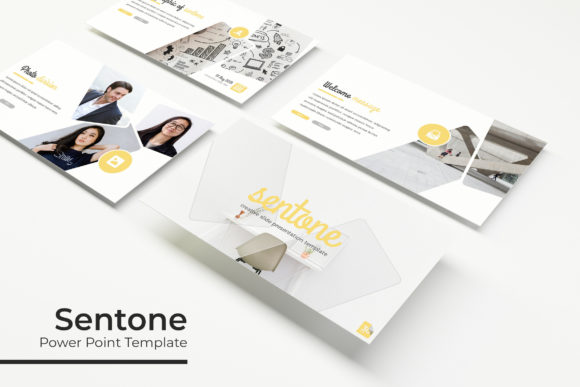
Another vital note concerns the imagery. All photographs and pictures seen in the preview materials are for illustration purposes only and are not included in the template. This is standard practice for presentation templates due to licensing restrictions, but it means users must source their own visuals. Fortunately, the drag-and-drop placeholders make integrating personal or stock photography seamless. Beginners should take advantage of this opportunity to select high-quality, relevant images that enhance their specific message rather than relying on generic placeholders.
- Check System Compatibility: Ensure your version of PowerPoint supports master slide editing and widescreen formats.
- Install Fonts First: Download and install the linked free fonts before opening the PPTX files to avoid layout shifts.
- Review the Readme: Consult the included documentation for tips on customizing infographics and managing color themes.
- Prepare Your Assets: Gather your own high-resolution images and data points before beginning the design process.
- Test on Target Display: Preview your presentation on the actual screen or projector you will be using to verify readability.
Ultimately, the value of Senote lies in its ability to bridge the gap between professional design standards and everyday usability. It empowers users to focus on refining their message and connecting with their audience rather than wrestling with software tools. By providing a robust framework of 150 slides, handcrafted graphics, and intelligent layout systems, it serves as a reliable foundation for effective visual communication. Whether you are preparing for a high-stakes investor meeting or organizing personal notes for a community talk, this template offers the structure needed to present ideas with clarity and confidence.